Simple Flow Chart, Perfect Quality
Flow Charts visualize your entire process from start to finish, revealing exactly where errors occur and how to prevent them. This video demonstrates creating a zero-defect pizza flowchart with 10 sequential steps, decision points at quality checkpoints, and standardized procedures that ensure consistency. See how visual process mapping eliminates confusion and establishes reliable quality control.
You'll learn: How to map processes visually • The 10-step pizza production flowchart • Decision points and quality gates • Standardization techniques for consistency
👇 Download the Flow Chart How-To Guide below
Video Transcript
Do you want to know how to produce a delicious pizza every time, the same quality, without any defects like burnt crust or the wrong toppings? What if I told you about a management method that would make sure that your customers are happy every time the pizza box hits their doorsteps?
So, what is this mystery method? Well, it's a simple flowchart and it's really easy to execute. Let me explain it to you with our classic zero defect pizza example.
Now, a flowchart for this process would be aimed at making sure that every pizza is made to high standards without making any mistakes or customer issues. This method focuses on preventing errors at each stage to establish consistent quality control.
Next up, we need to make a list of steps for the whole process. These steps are written in a sequence, so that saves us a lot of time. But if you are making a flowchart for your project, you need to arrange the steps for your flow sequentially.
This is because a structured format improves readability, allowing users to follow the process from beginning to end easily.
After the baking process, we add a simple decision step to check if the pizza fulfills all requirements like a yummy crust or correct topping before delivery.
Now, it's time to make a flowchart and apply it to our example. As you can see, this flowchart is quite simple and follows the correct sequence. Let's start from step one, order received.
Now, a customer has placed an order for a pizza. Since all of the other steps are ultimately linked to this one, we have to make sure there are no errors in this step.
We'll start out by asking them:
The size of the pizza, which toppings they would like, the type of the crust if they have any special requests, and finally, what would be their payment method.
To make sure that we have recorded the order correctly, we'll also verify it with the customer. Once we are satisfied with it, we are going to move on to the next step in the flowchart.
Suppose that the customer ordered a large pizza with a thin crust and standard pepperoni slices. We are going to set aside the standard ingredients required for a large pizza.
We could make this step even more seamless by using a list to confirm that we've taken out the correct amount of the ingredients. Plus, if we check if the ingredients haven't expired, it acts like a quality check and saves us from an angry customer.
In this step, we'll roll the dough to the required thickness and ensure that the crust is thin, as this was one of the requirements.
If you're wondering how we can achieve consistency, we'll use set measurements and timers to prepare the dough uniformly. We could even use special mats that show an outline so that our size isn't too large or too small.
Now, no matter how long you've been in the industry, you aren't a machine, and you're prone to making mistakes. You already know that you have to spread the sauce, cheese, and toppings in the right amount in places, but you could have a bad day and miss one of them.
So, instead of pouring the sauce from the bucket or using our hands for the cheese, we'll use standardized ladles and food scales to make sure that there isn't a shortage or an excess of any topping.
Before we toss the pizza into the oven, we'll examine the pizza to make sure that everything is in order and there's nothing on there that isn't supposed to be.
We could have a supervisor or a dedicated team member conduct a quick check for the spread and fullness of the pizza.
Since no one likes burnt or undercooked pizza, we need to make sure that we bake the pizza at the right temperature and duration for consistent quality.
So, we are going to regularly adjust ovens to maintain the proper temperature and baking time.
Much like the other quality check, we need to make sure that the pizza coming out of the oven is up to our standards, like there are no burnt crusts or areas that are undercooked.
If we spot an error, it's time to remake the pizza.
Now, before we ship the pizza to our customer, we'll compare the order details with the finished pizza to prevent any mishaps.
In this step, we have to make sure that our pizza meets our standards. Obviously, we can't taste it, but from visual inspections and temperature readings, we will do a final check to see if the pizza fulfills all requirements for a perfect pizza or not.
Finally, in the last step of our flowchart, we'll ensure that the pizza is delivered hot, fresh, and without defects.
We'll use insulated bags for delivery and confirm delivery details. If the order was a pickup, we'll verify it with the customer before we hand it off.
You see, by using a flowchart, we have a better understanding of the process. We have standardized the workflow for every employee, and it's easy for us to figure out which step went wrong if there's a customer complaint.
But there are a few limitations that you should be aware of.
For instance, flowcharts are really simple, and important details might get omitted if it hasn't been explained properly.
Moreover, they capture a static state of a process which basically means that in a real or a dynamic environment, they might not be flexible enough.
Lastly, making these flowcharts for a bigger or more detailed process can be time-consuming, especially if precision matters. Plus, you need to review it several times to make sure there's no error in the flow.
So, keep an eye out for that.
That's it for this video. Will you be using this method for yourself or your company? Let us know in the comments below.
What Is a Flow Chart?
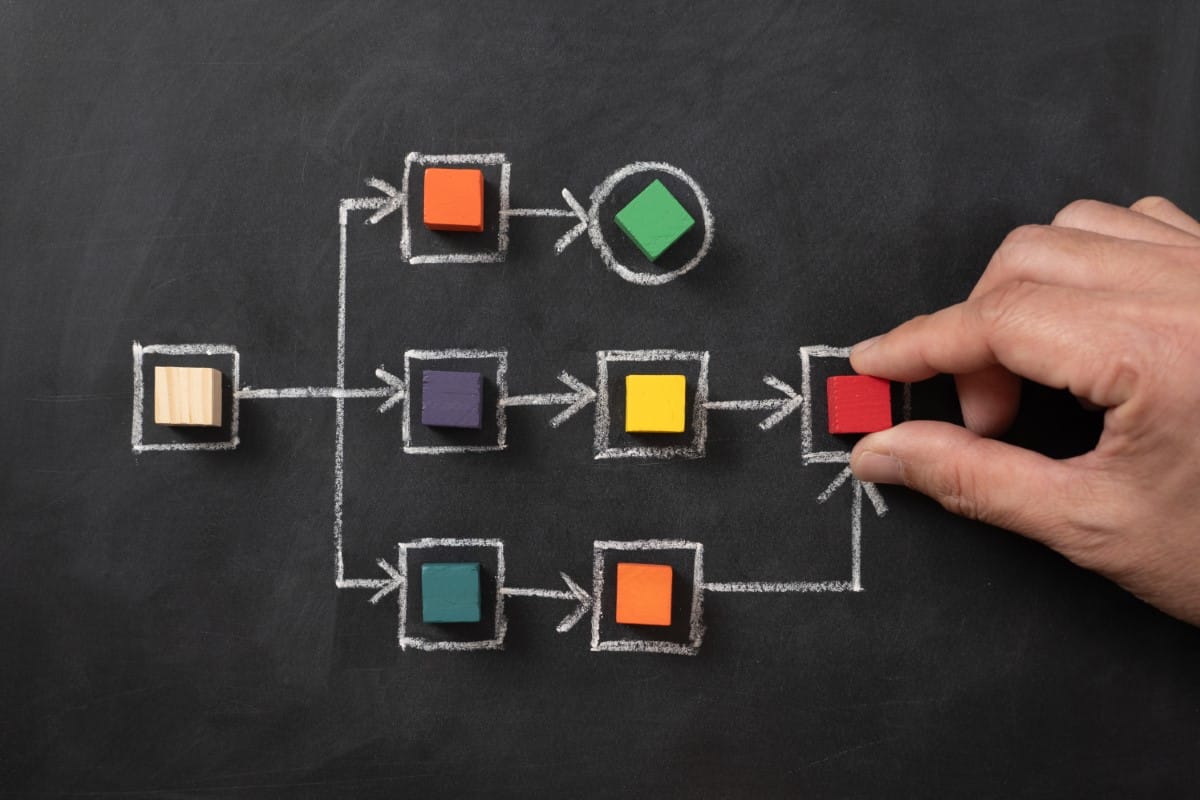
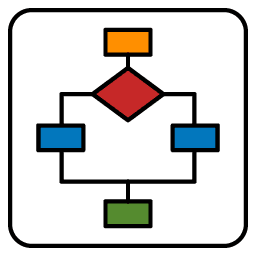
A flowchart is a graphic representation of a process, system, or algorithm that makes use of predefined forms and connecting arrows. Usually, the forms are ovals for start/end points, diamonds for choice points, and rectangles for steps or activities.
It is simple to comprehend how various pieces link to one another because each form is connected by arrows that indicate the flow’s direction and sequence. Flowcharts are frequently used in project management, programming, and business to simplify complicated procedures into understandable steps that anybody can follow.
Why Use a Flow Chart?
The main goal of flow charts in quality management is to create a clear visual guide of a process to help better understand how each step affects quality. This assists in identifying unnecessary steps, uncovering inefficiencies, and clarifying responsibilities, ensuring all team members share the same understanding of the workflow.
When to Use a Flow Chart
Flow charts are frequently used in quality management for documenting processes, troubleshooting, training, and spotting areas for optimization. They are useful in industries like manufacturing, healthcare, and services, where visualizing steps can make complex workflows easier to understand, improve team knowledge, and aid in decision-making:
8D Problem Solving (D2 & D4)
The 8D process requires understanding the process BEFORE analyzing root causes. In D2 (Problem Description), Flow Charts show WHERE the defect occurred. In D4 (Root Cause Analysis), they reveal which process step failed. No process map = guessing where to investigate. Flow Charts make 8D systematic.
A3 Problem Solving
The A3 method demands process visualization in its “Current Condition” section. Flow Charts fit perfectly into the A3’s limited space while communicating the process clearly. Before proposing countermeasures, show the process. A3 without Flow Chart = incomplete analysis.
Before Process Changes
Never change a process you don’t understand. Flow Charts capture the current state (“AS-IS”) before designing the future state (“TO-BE”). Without baseline documentation, you’re changing blindly and can’t measure improvement.
Cross-Functional Process Mapping
Never change a process you don’t understand. Flow Charts capture the current state (“AS-IS”) before designing the future state (“TO-BE”). Without baseline documentation, you’re changing blindly and can’t measure improvement.
Error-Proofing (Poka-Yoke) Planning
Before designing error-proofing, identify WHERE errors can occur. Flow Charts highlight decision points and critical steps where Poka-Yoke devices should be installed. Targeted prevention beats scattered efforts.
Root Cause Analysis Setup
Before analyzing WHY something failed, you must understand WHERE in the process it happened. Flow Charts map the territory before 5-Why or Ishikawa dig into causes. “The defect occurs between Step 5 and Step 7” – now you know where to investigate.
Quality Gate Definition
Process Documentation
When a process exists only in people’s heads, Flow Charts make it visible. “How do we actually handle customer complaints?” stops being tribal knowledge and becomes documented standard work. The visual sequence shows not just WHAT happens, but WHO does it and WHEN.
New Employee Training
Training new team members without visual process maps leads to inconsistent execution. Flow Charts provide a clear learning path: “Start here, follow the arrows, make this decision at this point.” Visual onboarding reduces training time and errors during the learning curve.
Identifying Bottlenecks & Waste
Lean practitioners use Flow Charts to spot non-value-added steps, waiting times, and bottlenecks. “Why does this take 5 days?” – the Flow Chart reveals 3 days are just waiting between steps. Visualization enables elimination.
Procedure Writing
Standard Operating Procedures (SOPs) written without Flow Charts are walls of text nobody reads. Start with a Flow Chart, then add details. Visual + textual documentation ensures both quick reference and detailed guidance.
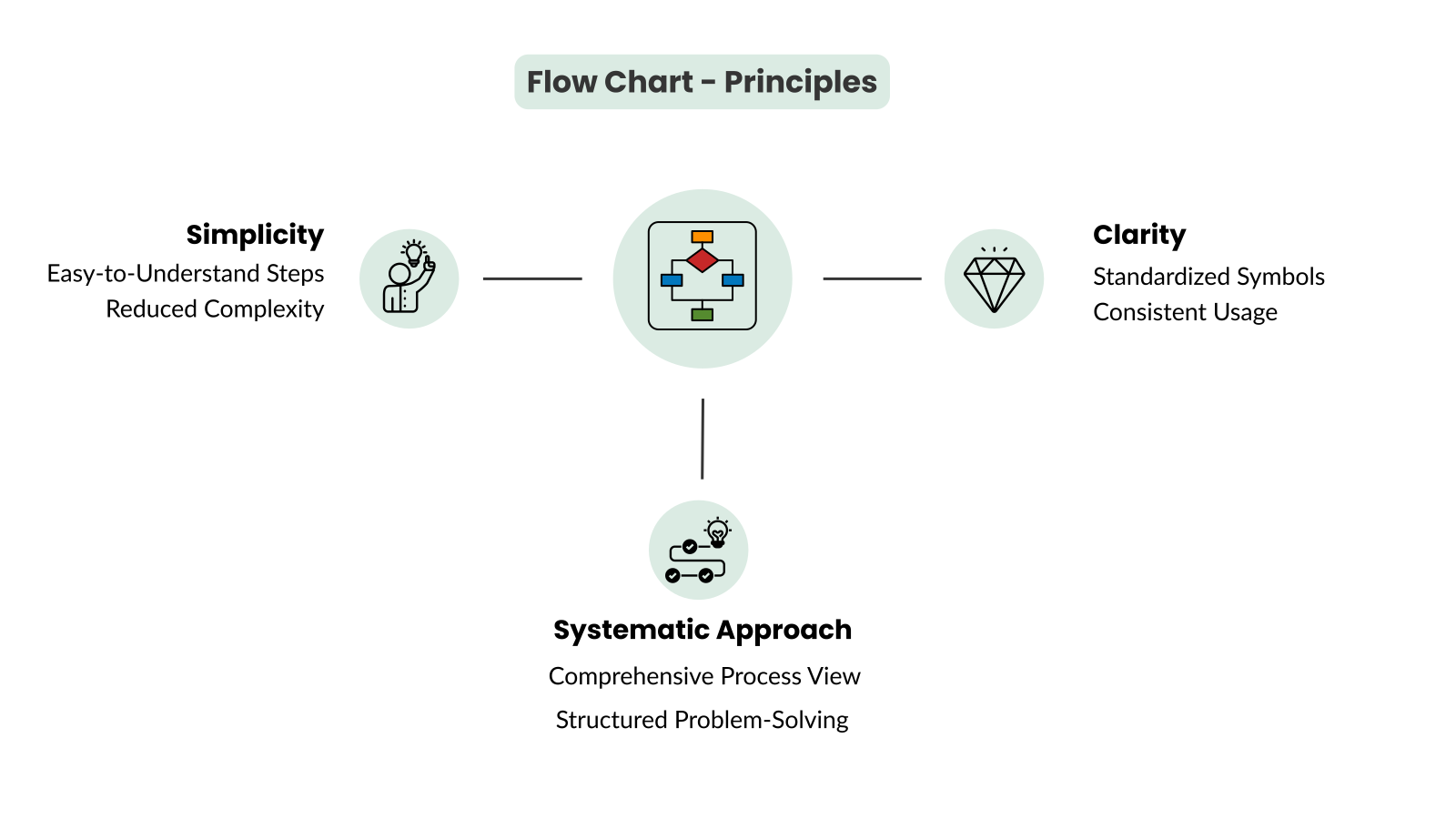
Principles of a Flow Chart

Simplicity
Simplicity is important for making a flow chart work well. It helps all involved parties see each step in the process clearly and without confusion. Each step should be shown in an easy-to-understand manner by breaking down the process into smaller parts and reducing complexity.
By keeping out extra details and concentrating on the main actions and decisions, a simple flow chart allows everyone—from operators to managers—to follow the steps without getting lost in too much information. This simplicity not only makes it easier to use but also helps quickly spot problems, facilitating efficient fixes and process enhancements.
This ends up providing organizations the definition of what is broken, or what could be made better resulting in effective planning and execution becoming a necessity — to aim all the efforts towards effective results.ess more efficient and effective.

Clarity
Standardized symbols are vital for keeping clarity in a flow chart. They help ensure that everyone reading the chart interprets it in the same way. Common symbols, like rectangles for tasks, diamonds for choices, and ovals for starting and stopping points, form a shared way to show processes.
When symbols are used correctly and consistently, readers can follow the process easily, without needing lengthy explanations. This clarity helps avoid confusion and misreading, especially in complex processes, as the standard symbols allow anyone familiar with basic flow charts to understand the workflow clearly.

Systematic Approach
A systematic approach is essential for making a flow chart an effective tool for analyzing processes. By outlining the process from beginning to end, the flow chart captures all important steps, decisions, and possible delays, providing a full view of the workflow.
This complete view allows teams to examine the process in detail, uncovering areas of inefficiency, repetition, or possible mistakes. By organizing the process clearly, the flow chart aids in structured problem-solving, where every step can be evaluated, improved, or adjusted to enhance overall performance and quality.
How to Create a Flow Chart
1. Define the Process Scope
The first step in making a flow chart is defining the process scope, which is important to set limits and clarify goals. Start by figuring out where the process begins and ends, which gives the chart its framework. Knowing the purpose of the flow chart—whether for solving problems, training, or making improvements—helps decide how detailed it needs to be. A clear scope keeps the flow chart focused on the important steps and avoids added confusion, making the chart more useful for its goal.
It often involves data collection, customer feedback analysis, and root cause analysis. By conducting a thorough assessment, organizations can determine the scope and significance of the problem or opportunity, setting the stage for targeted and effective improvement efforts.
2. List Steps
After setting the scope, break the process down into its steps. Listing actions, decision points, and results creates a detailed outline of the workflow, allowing each part to be seen separately.
For easy understanding, keep each step short and clear, focusing on what happens at that point without too much information. This clear sequence builds the base for a flow chart that truly represents the process, making it easier to identify redundancies or areas that can be improved.
3. Choose Symbols
Choosing the right symbols is key for making a flow chart that is easy to read and informative. Standard flow chart symbols—like rectangles for tasks, diamonds for decisions, and ovals for start and end points—are commonly known and create a mutual understanding of processes.
Sticking to these standard symbols helps anyone reading the chart to interpret each step’s role quickly, without needing more explanations. Following symbol norms also makes sharing the chart with others easier, providing a straightforward layout for understanding complicated workflows.
4. Arrange Steps Sequentially
Organizing the steps in the correct order and linking them with arrows leads the reader through the process one step at a time. Each arrow shows the flow direction, clarifying what actions or decisions come next. A logical arrangement is vital for grasping how parts depend on each other and spotting any slowdowns or issues.
This structured format improves the flow chart’s readability, allowing users to follow the process from beginning to end easily and see where changes can enhance efficiency.
5. Validate Chart
Once the flow chart is drafted, check it with stakeholders to make sure it’s accurate and complete. Getting input from key individuals, like team members who carry out the tasks and managers who oversee them, helps point out any missed steps, errors, or unclear parts.
Validation confirms that the flow chart reflects the actual process, which is important for using it as a reliable tool for quality improvement, training, or standardizing processes. Input from stakeholders also boosts acceptance, making it easier to implement any suggestions from the flow chart.
6. Refine Chart
Refinement is the last step, where you take feedback to improve the chart’s clarity and effectiveness. After gathering input from stakeholders, simplify any complex or repetitive sections to clarify the flow chart. Make sure each step, symbol, and connection is necessary and meaningful to the process.
Refining the chart not only enhances understanding but also boosts its value as a reference point, allowing it to serve as a clear and accurate depiction of the workflow that supports ongoing quality improvement initiatives.
How to Combine Control Charts with Other Quality Tools
Ishikawa Diagram
Start with 5W2H problem definition to capture all problem dimensions: What, Where, When, Who, Why, How, How Much. This complete picture ensures your 5-Why Analysis starts from solid, factual ground – not assumptions.
5-Why Analysis
Is-Is-Not compares where problems occur vs. don’t occur. Flow Charts provide the process map for this comparison. “Defects happen on Line A but not Line B” – compare Flow Charts to find the difference.
Pareto Chart
Flow Charts show WHERE in the process problems occur; Ishikawa explores WHY at that location. “Defect happens at Step 6” (Flow Chart) → “What causes defects at Step 6?” (Ishikawa). Location → Causation.
Control Chart
Pareto shows WHAT problems are biggest; Flow Charts show WHERE they originate. “70% of defects are scratches” (Pareto) + “Scratches occur at Steps 4, 6, and 9” (Flow Chart) = targeted investigation.
SIPOC Diagram
Control Charts show variation OVER TIME; Histograms show variation DISTRIBUTION. Use both: the Control Chart asks “Is the process stable?” while the Histogram asks “What shape is the variation?” Together, they give complete variation understanding.
Poka Yoke
When Control Charts show special causes, Scatter Diagrams can identify which input variable correlates with the output shift. “Output went out of control when Input X changed” – correlation analysis finds the relationship.
Action Management
SIPOC provides the high-level view (Suppliers, Inputs, Process, Outputs, Customers); Flow Charts zoom into the “P” with detailed steps. First SIPOC for scope, then Flow Chart for depth. Macro → Micro understanding.
FMEA
Before trusting Control Chart signals, verify your measurement system works. MSA proves your gages can detect real variation – not just measurement noise. An inadequate measurement system makes Control Charts meaningless. MSA first, then SPC.
Lessons Learned
Control Charts prove stability; Capability indices quantify performance. First, demonstrate statistical control with the chart. Then, calculate Cpk to show HOW WELL the stable process meets specifications. Sequence matters: stability → capability.
Check Sheets (Tally Sheets)
Every Flow Chart analysis reveals improvement opportunities: missing steps, unnecessary steps, unclear decisions. Each finding becomes an action item. Process analysis → Improvement actions.
8D Report
PFMEA analyzes failure modes at each process step – but first you need the steps. Flow Charts define the process; PFMEA evaluates risks at each step. No Flow Chart = incomplete FMEA. Process definition → Risk analysis.
Control Plan
Quality is one OEE component. Control Charts monitor the Quality rate in real-time, feeding OEE calculations. Out-of-control quality conditions directly impact OEE scores – making the business case for SPC visible.
Value Stream Mapping (VSM)
Use Histograms to visualize data distribution and Correlation Charts to test cause-effect hypotheses. Data analysis validates 5-Why Analysis conclusions with evidence, not just logic.
Benefits of a Flow Chart
Better Process Understanding
Using a flow chart to show a process helps team members understand it more easily, no matter their role or knowledge level. A flow chart gives a straightforward outline, allowing people to see how tasks relate, where choices must be made, and how results rely on earlier steps. This visual tool cuts down the need for long explanations, helping everyone grasp their part in the overall workflow.
Better understanding in the team leads to fewer mistakes and improves teamwork, as all members share a common view of the process.
Standardizing Processes
With a better understanding of processes Flow charts help with process standardization as they clearly show each step, choice point, and sequence of tasks in a clear format. This documentation clarifies how tasks should be completed, ensuring all team members use the same methods consistently. Standardizing processes through flow charts reduces inconsistencies in execution, which is vital for keeping quality and achieving reliable results.
Additionally, standard work practices help decrease mistakes, boost productivity, and make training for new team members easier, as the flow chart acts as an understandable guide that aligns everyone to a consistent way of working.
Better Communication
Flow charts make complex workflows simpler, making it easier to explain to different stakeholders. This better communication is especially important when working with teams from different areas or training new hires, as the visual format helps clarify complicated processes. Rather than using only spoken or written descriptions, a flow chart shows the process clearly, helping discussions and questions in real time.
As a shared reference, a flow chart supports clear communication, making sure everyone has the same understanding of the process.
Finding Issues
Flow charts are effective for spotting problems in processes, like redundancies and slow points, that might not be seen otherwise. By laying out each action and choice, it’s simpler to find steps that don’t add much value or cause delays.
This clear view helps quality managers and team members evaluate each part’s role in overall effectiveness, making it easier to identify where problems may arise. Using flow charts to find issues not only assists in fixing current problems but also helps prevent similar ones in future workflows.
Limitations of a Flow Chart
Over-Simplification
One key downside of flow charts is oversimplification, especially when dealing with complex processes. To make things clearer, important details might get omitted, which can hide crucial parts of the workflow. This can lead to confusion or an incomplete understanding since decision points, exceptions, or dependencies may not be shown accurately. Oversimplification becomes more serious in processes that have many variables or linked steps, where missing details could lead to wrong assumptions about how the process works, thus affecting the quality of analysis or decision-making based on the chart.
Static Representation
Flow charts typically capture a single, static state of a process, which means they lack the flexibility to account for real-time changes or adjustments in dynamic environments. Processes often evolve over time due to new requirements, technological advancements, or updated quality standards, but a flow chart will only represent the process as it was at the time of its creation.
This static nature can make flow charts less effective for rapidly changing workflows or for situations where adaptability is critical. As a result, they require regular updates to remain accurate, which can be cumbersome and limits their usefulness as a real-time reference.
Time-Consuming
Making a flow chart for large or detailed processes can take a lot of time, especially if precision matters. Every step, decision point, and interaction needs to be carefully planned, and the chart might need several rounds of review and feedback to ensure it is both correct and clear. This can be a laborious process, especially with cross-functional teams or complex workflows that involve many people.
The initial time needed can be a downside, as team members must balance flow chart creation with their other tasks, which can lead to delays in the chart’s availability and its usefulness for immediate analysis or problem-solving.
Flow Chart Best Practices

Start High-Level, Add Detail
Starting with a broad overview is a smart way to create a flow chart, giving a clear view of the main steps before going into more details. This technique helps outline the overall framework and flow without making the chart too complicated at first. After laying down the basic process, you can add extra details as needed, concentrating only on parts that need more examination.
This method keeps things clear and avoids overwhelming information, allowing stakeholders to understand the main flow and look deeper into specifics when required, aiding both overall understanding and detailed process improvement.

Use Standard Symbols
Using standard symbols in flow charts is very important for making sure that everyone can understand them easily across different teams. For example, rectangles show tasks, diamonds represent decisions, and ovals indicate the start or end points. This provides a common visual way of communicating that doesn’t need extra explanation.
Keeping this uniformity reduces confusion, especially when various team members or stakeholders look at the chart quickly. Standard symbols also make communication smoother, as all can concentrate on the process itself instead of trying to interpret new visuals, making the flow chart a useful tool for working together and sharing knowledge.

Validate with Stakeholders
Getting input from stakeholders is a key part of guaranteeing the flow chart’s accuracy and usefulness. Involving team members who are part of or manage the process helps gather insights on any steps that might have been overlooked or any details needing clarification.
This joint review process helps build agreement, as stakeholders can confirm that the chart accurately shows real-world operations. Evaluating with stakeholders also makes the chart more functional, as adding their feedback makes it more relevant and useful for the team's needs. Involving stakeholders guarantees that the flow chart is a reliable reference, which is important for aligning the team with standard processes and quality goals.

Keep it Simple
Simplicity is crucial for creating a flow chart that is easy to understand and work with. By concentrating on key steps, decision points, and vital actions, you can prevent the chart from becoming too busy with unnecessary details that might reduce clarity. A straightforward flow chart is easier to read at a glance, making it more beneficial for quick reference and effective communication.
Prioritizing simplicity helps team members navigate the chart without confusion, making sure the main goal of understanding and improving processes is met. Clear and simple flow charts are more likely to be used often, aiding ongoing quality improvement efforts efficiently.
Integration with other Quality Methods
Ishikawa Diagram
Combining Ishikawa / Fishbone Diagrams with Flow Charts helps teams look into illustrated workflow reasons of problems. Although the Fishbone Diagram groups possible causes under primary topics including Man, Machine, Method, Material, Measurement, and Environment, the Flow Chart shows the sequence of actions. This method offers a whole picture of all the possible influencing elements, therefore enabling teams to methodically identify and remove the underlying causes of process inefficiencies or flaws.
5-Why Analysis
5-Why Analysis with Flow Charts lets teams investigate process bottleneck or failure root causes. The Flow Chart shows where problems arise in the process; the 5-Why Analysis digs further into the reasons behind those problems by posing a set of “why” inquiries. This helps teams identify the fundamental causes of issues, so enabling them to solve the root cause instead of only the symptoms, so producing more sustainable solutions.
Check Sheets
Together, flow charts and check sheets offer a methodical approach to gather information on certain actions or decisions taken inside a process. The Check Sheet helps compile quantitative or qualitative data at each stage, therefore enabling reliable tracking of events, flaws, or bottlenecks, while the Flow Chart displays the chronology and logic of the operation. This all-encompassing strategy improves data-driven decision-making and offers a clear basis for spotting trends or patterns that can call for development.
Pareto Diagram
Teams can rank problems found in the workflow by combining Pareto charts with flow charts. The Pareto Chart shows the most often occurring or significant issues; the Flow Chart describes the process processes. This mix guarantees effective allocation of resources in order to optimize quality and productivity improvements by helping to concentrate improvement efforts on the essential few issues generating the most major defects or problems.
Flow Chart Example: Zero Defect Pizza
Scenario
The Zero Defect Pizza flow chart is a process aimed at making sure every pizza is made to high standards without mistakes or customer issues. This method focuses on preventing errors at each stage to provide a consistent and quality product reliably.
Below is a simplified version of the Zero Defect Pizza process:
1. Order Received (Start)
Goal:
Correctly record the customer’s order with all details (size, toppings, special requests).
Zero Defect Action:
Verify the order with the customer to check for accuracy.
2. Preparation and Ingredient Checking
Goal:
Collect and measure ingredients as per standard recipe.
Zero Defect Action:
Use a list to confirm correct amounts and quality; check that all ingredients are not expired.
3. Dough Preparation
Goal:
Make the dough to the required thickness and texture.
Zero Defect Action:
Use set measurements and timers for uniform dough preparation.
4. Sauce and Topping Placement
Goal:
Spread sauce, cheese, and toppings in the right amounts.
Zero Defect Action:
Use tools to measure portions (like ladles for sauce and cheese) to avoid shortages or excesses.
5. Pre-Bake Quality Check
Goal:
Examine pizza before baking to meet visual and ingredient criteria.
Zero Defect Action:
A supervisor or team member conducts a quick check for even spread and fullness.
6. Baking Process
Goal:
Bake the pizza at the right temperature and duration for consistent quality.
Zero Defect Action:
Regularly adjust ovens to maintain proper temperature and timing; monitor the baking.
7. Post-Bake Quality Check
Goal:
Look for baking issues (like undercooked spots, burnt areas, or uneven melting).
Zero Defect Action:
Examine each pizza right after baking; remake any that have defects.
8. Packaging and Order Confirmation
Goal:
Confirm the pizza and order details before packing.
Zero Defect Action:
Compare order details with the finished pizza to avoid any omissions (e.g., special requests like “no olives”).
9. Delivery or Customer Pick-Up (End)
Goal:
Ensure the pizza is delivered hot, fresh, and without defects.
Zero Defect Action:
Use insulated bags for delivery and confirm delivery details; for pickups, verify the order with the customer prior to handoff.
Key Quality Control Actions:
Standardized Ingredients and Equipment:
Apply portioned ingredients, measuring items, and timers for consistent quality.
Quality Checks at Key Points:
Conduct multiple quality checks during the process, especially before and after baking.
Customer Confirmation:
Verify order specifics with customers both before starting and after completion to assure satisfaction.
This Zero Defect Pizza process flow chart helps reduce mistakes by integrating quality checks and standard procedures at each phase, aiming to ensure that every pizza is as close to perfect as feasible before reaching the customer.
FAQ Flow Chart
What is a Flow Chart?
A Flow Chart is a visual representation of a process, system, or algorithm that uses predefined shapes and arrows to show the sequence of steps.
- Ovals are used for start and end points.
- Rectangles represent steps or activities.
- Diamonds indicate decision points.
Arrows connect the shapes, illustrating the flow’s direction and sequence. Flow charts are widely used in business, project management, programming, and quality management to simplify complex processes, making them easier to understand and follow.
What are common symbols used in Flow Charts?
- Oval (Start/End): Denotes the beginning or end of a process.
- Rectangle (Process Step): Represents an action or task.
- Diamond (Decision Point): Indicates a choice or branching point.
- Arrow (Flow Line): Shows the direction of process flow.
- Parallelogram (Input/Output): Displays input to or output from a process.
When is a Flow Chart used?
Flow Charts are used in various situations, particularly in:
- Quality Management – Documenting processes, troubleshooting, and identifying optimization areas.
- Business Process Mapping – Understanding workflows, reducing waste, and enhancing efficiency.
- Training and Communication – Educating teams and aligning stakeholders.
- Decision Making – Visualizing choices and outcomes to facilitate informed decisions.
They are especially useful in industries like manufacturing, healthcare, and service sectors where complex workflows require clear visualization.
Why is a Flow Chart so useful?
Flow Charts are valuable for:
- Visualizing Processes – Offering a clear, step-by-step view of workflows.
- Identifying Inefficiencies – Helping to spot bottlenecks, redundancies, or unnecessary steps.
- Clarifying Roles and Responsibilities – Ensuring all team members understand their tasks.
- Standardization and Consistency – Promoting uniform processes and quality standards.
- Facilitating Decision-Making – Providing a logical flow of actions and choices.
By illustrating processes visually, Flow Charts improve understanding, reduce errors, and support continuous improvement in quality management.
What are the key principles of flow charts?
Simplicity
- Keep it Clear and Concise – Break down the process into smaller parts, focusing on key actions and decisions. Avoid unnecessary details.
- Easy to Understand – Make it simple enough for anyone, regardless of role or experience level, to follow.
Clarity
- Use Standard Symbols – Maintain consistency using common symbols like rectangles for tasks and diamonds for decisions.
- Logical Flow – Arrange steps in a logical sequence with clear arrows indicating direction.
Systematic Approach
- Comprehensive Coverage – Include all necessary steps, decisions, and outcomes for a complete overview of the process.
- Structured Problem-Solving – Clearly show dependencies, helping teams analyze workflows for improvements.
How to create a Flow Chart?
1. Define the Process Scope
2. List Steps
3. Choose Symbols
4. Arrange Steps Sequentially
5. Validate
6. Refine
What are the benefits of flow charts?
- Better Process Understanding – Visualizing the workflow helps team members understand their roles and responsibilities.
- Standardization – Establishes a consistent approach to performing tasks, ensuring uniform quality and output.
- Improved Communication – Simplifies complex processes for better communication and training.
- Problem Identification – Helps identify bottlenecks, redundancies, and potential areas for improvement.
- Enhanced Decision-Making – Provides a logical flow of steps and decisions, supporting informed choices.
What are the limitations of flow charts?
- Over-Simplification – May overlook complex dependencies or variables, leading to incomplete understanding.
- Static Representation – Flow Charts show a snapshot in time and may become outdated as processes change.
- Time-Consuming – Creating detailed Flow Charts can be time-intensive, especially for complex workflows.
What are best practices for flow charts?
1. Start High-Level, Add Detail Later
- Begin with an overview, showing main steps before adding more details.
- This approach helps keep the chart focused and avoids overwhelming complexity.
2. Use Standard Symbols
- Stick to commonly accepted symbols for tasks, decisions, and flow direction.
- Standardization ensures consistent interpretation across teams and stakeholders.
3. Validate with Stakeholders
- Collaborate with team members and stakeholders to check for accuracy and completeness.
- Getting input from those directly involved in the process ensures the Flow Chart is realistic and practical.
4. Keep it Simple
- Focus on essential steps and decision points.
- Avoid unnecessary details that might clutter the chart and confuse users.
How can Flow Charts be integrated with other quality tools?
Flow Charts can be combined with other quality management tools like:
- Check Sheets: To collect data on specific steps or decisions.
- Pareto Charts: To prioritize issues identified in the flow.
- 5-Why Analysis: To explore the root causes of process bottlenecks or failures.
- Fishbone Diagrams: To investigate causes of problems visualized in the Flow Chart.